



Cough, Fever, Fatigue? Which Bug is Bugging You? A Guide To Seasonal Respiratory Illnesses
October 2025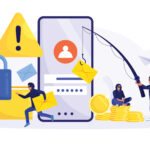
Common SCAMS That Target Your Bank Account
October 2025
by Katelynn Mouton
With every click of a mouse, swipe of a screen and a login, a digital footprint is left behind. From ransomware attacks on businesses to phishing scams landing in inboxes daily, cybersecurity is no longer just a concern for tech experts. It’s an essential layer of protection for anyone who uses a device.
Phishing scams are one of the biggest threats to users according to Shawn Maggio, CEO of National Networks. “These emails are by far the most common and dangerous threat we are seeing. Many are designed to impersonate trusted contacts or companies, often mimicking invoices, legal notices or urgent account alerts.”
The threats are becoming more convincing by the day, adds Maggio, who says they are also seeing a rise in credential harvesting, business email compromise and ransomware, especially targeting businesses running outdated operating systems or lacking proactive protection.
“For personal users, most issues stem from clicking on bad ads, spoofed websites or sketchy social media links. People often think they are buying a product, but they are really handing over credit card details to a scammer. Password reuse is also a big issue because once an account is compromised, the door is open to everything else.”
From the business standpoint, phishing remains the biggest risk. “We recently received a call from a local company where an employee clicked a phishing link appearing to come from a customer. The link led to what looked like a legal petition but was actually malware disguised as a .PDF.”
For businesses who send and receive payments, these email compromises can mean wire fraud, lost revenue and a damaged reputation.
Maggio says there is a simple method to protecting your digital footprint. The SLAM Method is a valuable process to go through before opening any email.
Sender: Double check the name of the sender. Does the email match the name?
Links: Hover before clicking. If the link doesn’t match the sender’s domain, don’t click it.
Attachments: Were you expecting an attachment? If not, be suspicious, especially if it is a .ZIP, .PDF or .Doc file.
Message: Is the tone urgent, emotional or demanding sensitive information? If so, that’s a red flag!
A few other helpful tips from Maggio include not using the same password across accounts, not storing credit card information in browsers and not clicking on ads unless you know the source is trustworthy.
Additionally, business owners need to pay close attention to a looming deadline. “If you’re running older systems, especially Windows 10, which reaches its end of life on October 14, you’re putting your operation at serious risk,” explains Maggio. “Consider partnering with a proactive IT provider that can secure your network, monitor endpoints, patch vulnerabilities and provide real-time support.”
If this still seems overwhelming, National Networks has launched Breach Blockers Bootcamp, a free, one-hour training for small businesses. The bootcamp focuses specifically on educating end-users, who are walked through real examples of phishing attempts, teaching them how to spot fake emails and what safe browsing looks like.
The bottom line, concludes Maggio, is that cybersecurity isn’t optional anymore. “The cost of doing nothing is far higher than the investment in staying protected.”
Learn more by calling (337) 474-4249 or visiting nationalnetworks.com.